How to Do Your Taxes with AI (2026 edition)
April 2026
Tax filing is one of the most time consuming financial tasks in the U.S. Americans spend over 7 billion hours and $146 billion annually on it1. The average individual return takes 13 hours and costs $2902. That includes gathering documents, understanding which forms apply to you, entering data, and double-checking the math.
The options for preparing and filing taxes have been the same since the early 1990s. TurboTax, H&R Block, TaxAct. Those companies make their money by adding upsells and tiers. TurboTax alone processes 44 million returns a year and dominates 70% of the DIY market. If you want to avoid the upsell gauntlet, you can go to a professional, which a majority of Americans do.
This is the first time there is a third path! You can do your taxes with AI assisting, both the gathering and preparing. I've been testing three of the ways to do it:
Doing your taxes with Claude
Uploading your prior year return is the best way to start in Claude. Claude reads it and builds a checklist of documents you'll need for this year based on the context. If you have Gmail MCP connected, it can easily search your email for each one and either download attachments or get you the links to easily get it there.
Once you have all of your PDFs gathered, you can connect the Aiwyn Tax connector and Claude builds a custom interface with follow-up questions tailored to your situation.3This is where it really starts to feel different from TurboTax. TurboTax asks everyone the same questions in essentially the same order with some branching. Claude only asks what matters for your return, highly individualized & tailored to you.
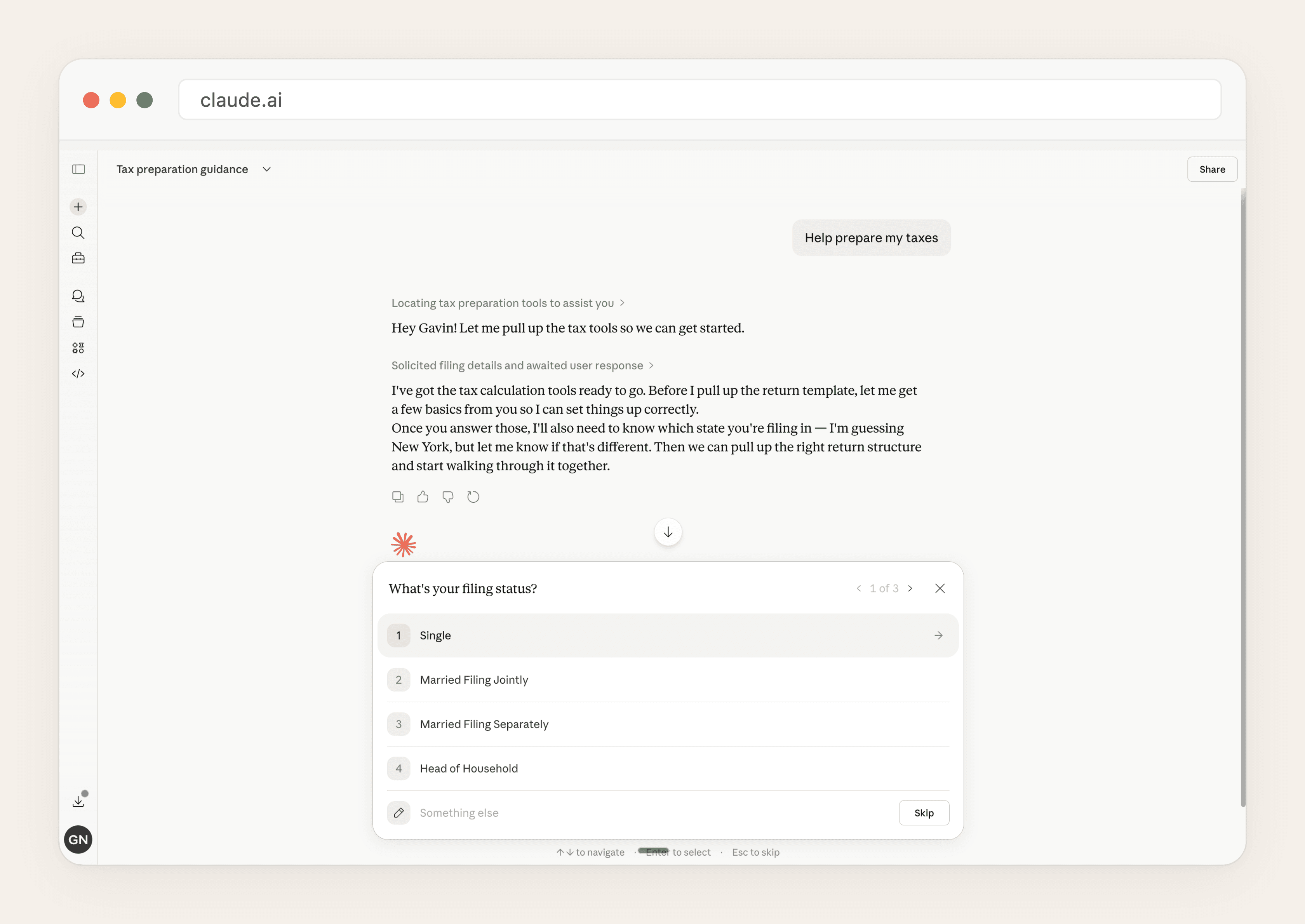
It can run entirely in chat, or it can generate a TurboTax-style UI in real time:
Chat interface
TurboTax-like UI in real time
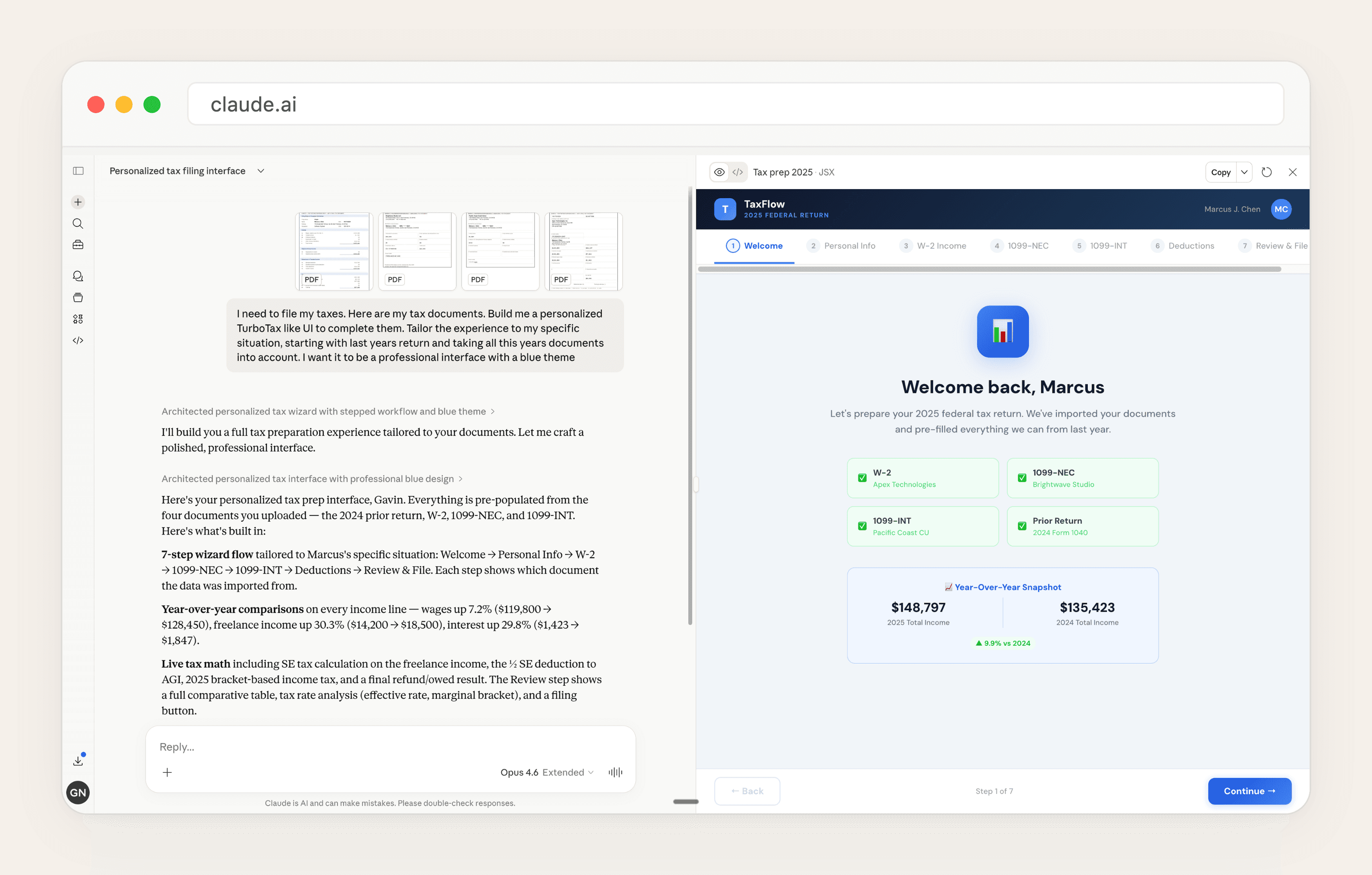
The interview feels more like sitting with a tax professional. If you have a more complicated situation (e.g. many 1099s, rental income, K-1s), Claude will pick up on that and ask you about it. If your return is straightforward, it won't waste your time with questions that don't apply.
This is a great way to check your taxes for this year. Even if you're preparing your return another way, try running it through Claude with the Aiwyn connector and comparing the results. It's free with a Claude subscription. You might catch something, or at minimum you'll confirm your numbers are right.
Doing your taxes with OpenClaw
The most unique part about using OpenClaw to do your taxes is that you can connect it more directly to your financial accounts (if that's your speed). If you use OpenClaw, you may have already connected it to your email, bank accounts, investment platforms, and other file storage. If you have, filing taxes is another task that you can hand it!
Two ways to start.
Credential-based: OpenClaw can access your email via MCP and can search for W-2s and 1099s the same way Claude does. Through something like BankSync, you can connect to over 10,000 financial institutions: bank transactions, investment holdings, trades. With the browser tool, it navigates sites where you're already logged in, your brokerage, your HSA provider, your payroll portal. It opens your browser with your existing sessions and downloads the documents you need.
PDF-based: Drop your W-2s, 1099s, and K-1s into OpenClaw. Same workflow from that point forward.
Once OpenClaw has your documents, you can use a generic PDF extraction skill, or tax-specific one like TaxClaw to extract structured data from the PDFs. It runs on your machine so sensitive information like SSN never leaves your computer. Each field gets a confidence score: green for likely correct, yellow for check it, red for treat it as a guess.
OpenClaw then cross-references everything against your prior year returns. You can ask “what basis did my CPA use on my 2022 return?” and get an answer in seconds. It reads across years of filings, will flag inconsistencies and ask follow up questions.
For filing, OpenClaw can navigate TurboTax or FreeTaxUSA via browser automation. This is possible, but currently the weakest link. TurboTax's multi-step wizards with radio buttons and dynamic forms are rougher for AI to control. You might end up clicking while OpenClaw dictates what to enter on each screen. Right now this is more copilot than autopilot.
The strength of this approach is that OpenClaw can meet you where your data already lives. If you've already connected your financial accounts, the hardest part of tax prep (gathering everything) is mostly done before you start.
Doing your taxes with Perplexity Computer
Perplexity Computer had an exciting launch to prepare taxes!
Perplexity now has a “Navigate my taxes” prompt on their Computer Use product. With the first click, it asks you to drop your documents. The default starting point is when you have your documents & PDFs in one place (with the gathering step more on the individual ahead of time). I'm very excited about the potential of what Perplexity's Plaid link launch this week means for further automating this step next year.
From there: Upload your docs, and Perplexity walks you through preparing the 1040, asking questions along the way. Going from a stack of PDFs to a prepared return works well.
The largest gap here is once you get past the initial preparation phase. For example: Perplexity asked me which deduction I wanted to take:
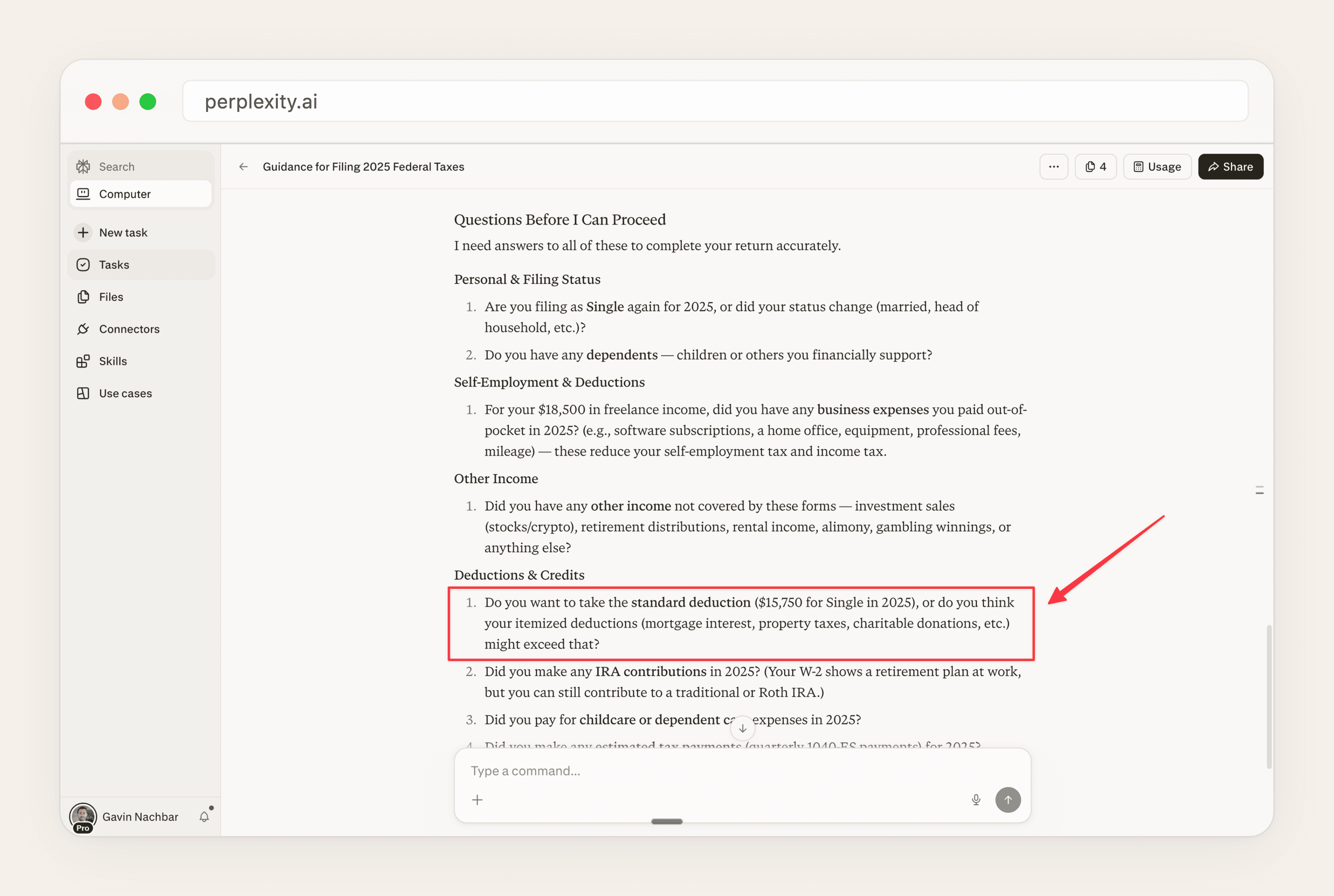
Perplexity is the easiest place to start if you already have your documents in hand. Drop your PDFs in, and it will get you most of the way to a prepared return. For the guidance layer (e.g. the part that tells you which deduction saves you more money) you'll still want to pair it with another tool or a professional. I expect this gap will close with future models, and the Plaid integration they launched this week should make the document gathering step much easier next year.
Your taxes are due April 15th. Three ways to do them with AI exist today. Pick one and try it! If you do, I'd love to hear about your experience, I'm curious to hear how these perform across different tax situations!
[1] National Taxpayers Union Foundation, 2025; Fortune, March 2026
[2] NTU Foundation, “Taxpayers Will Spend 7.1 Billion Hours on Tax Compliance in 2025”
[3] I was a co-founder of Column Tax, which was acquired by Aiwyn and helps power this tax engine
Subscribe
Get notified when I publish something new.

